
The Brain Drain Finding: Why Your Phone Costs You Even When You Ignore It
In 2017, Adrian Ward and colleagues at the University of Texas at Austin published a study titled "Brain Drain: The Mere Presence of One's Own Smartphone Reduces Available Cognitive Capacity." The finding was striking: participants who had their smartphone on the desk — face down, on silent, not checked once — performed significantly worse on working memory and fluid intelligence tasks than participants whose phones were in another room. The phone did not need to be used to reduce cognitive capacity. Its visible presence was sufficient.
The mechanism, as the researchers explained it, is that the smartphone has become so strongly associated with a wide range of habitual behaviors — checking notifications, scrolling, messaging — that its mere presence activates those behavioral associations and creates a low-level attentional pull. The brain does not ignore the phone; it maintains a background suppression effort, holding the phone-checking impulse in check. That suppression is not free. It consumes working memory resources that would otherwise be available for the work in front of you.
The practical implication is more significant than most people realize. If your phone is on your desk during a study session, you are not studying with your full cognitive capacity. You are studying with your full capacity minus the overhead of suppressing the phone. And the overhead grows with the strength of the smartphone habit — the more you normally check your phone, the more resources the suppression requires.
This reframes the desk setup question. It is not about willpower or discipline. It is about cognitive resource allocation. A phone on the desk is not just a temptation to manage. It is a tax on every mental operation you perform in its proximity.
Friction as a Design Tool — Not a Punishment
Behavioral scientist BJ Fogg, whose Behavior Design Lab at Stanford spent decades studying the mechanics of habit formation, identified friction as one of the most powerful levers for changing automatic behavior. Fogg's model holds that behavior happens when motivation, ability, and a trigger converge — and that manipulating ability (making a behavior easier or harder) is often more reliable than manipulating motivation.
Applied to phone use during study: motivation-based approaches tell you to want to focus more and want to check your phone less. They require a recurring act of willpower at every moment of temptation. Friction-based approaches change the physical and spatial environment so that checking the phone requires more steps and the work requires fewer. The choice architecture does the work that willpower would otherwise have to do.
Every inch of distance between you and the phone is friction on the phone-checking behavior. Every unnecessary step between you and the study materials is friction on the work behavior. The desk setup question is: which direction are you engineering the friction? If the phone is within reach and the materials are buried under clutter, the environment is engineered against focus. If the phone requires standing up to reach and the materials are already open, the environment works for focus.
This is not about making phone use impossible. It is about ensuring that phone checking requires a deliberate choice rather than an automatic reach. When the reflex requires an additional step to execute, the brief pause that step creates is often enough for the intention to focus to reassert itself.
The Phone Placement Protocol: Distance Is the Variable
The Ward et al. research showed a dose-response relationship between distance and cognitive performance: participants with phones in another room outperformed those with phones in their pocket, who outperformed those with phones on the desk. The hierarchy is clear — out of the room is better than in the pocket, which is better than on the desk.
In practice, the minimum effective placement is across the room, requiring you to stand up to reach it. This is enough to break the automatic reach reflex that most phone checking involves. The phone in a drawer one step away still disrupts; the phone across the room typically does not, because the effort requirement converts the reflex into a deliberate decision, and deliberate decisions are far more likely to be weighed against the competing priority of the work.
If the room configuration does not allow cross-room placement, a bag, backpack, or closet shelf in the same room serves a similar function — the phone is out of the visual field and requires a meaningful physical action to retrieve. Out of sight significantly reduces the activation of phone-associated behavioral patterns even when the phone is technically in the same space.
The settings question — whether to silence or turn off the phone entirely — is secondary to the placement question. A phone across the room with sound on is less disruptive than a phone face-down on the desk on silent, because proximity is the primary variable driving the cognitive cost.
Visual Clutter and Cognitive Load: What Your Desk Is Doing to Your Working Memory
Working memory — the cognitive system that holds and manipulates information currently in use — is limited and easily overloaded. Research on visual working memory consistently shows that visual complexity in the environment draws on the same cognitive resources that are needed for intellectual tasks. A visually complex desk is not neutral; it creates what cognitive load researchers call extraneous load — mental overhead that consumes working memory without contributing to the task.
Objects on a desk are not passive. Each visible object that does not belong to the current task represents a small attentional pull — a visual stimulus that the attention system has to process and classify. Chargers, unrelated notebooks, food packaging, sticky notes from other projects, multiple open browser tabs, objects unrelated to the current task — each competes for a fraction of the visual attention budget that should be available for the work.
This is why a clean desk often produces a genuine improvement in cognitive performance, not just a psychological improvement. It is not a placebo effect from the aesthetics. It is a real reduction in the visual complexity that the attention system has to manage, which means more resources are available for what the desk is supposed to be used for.
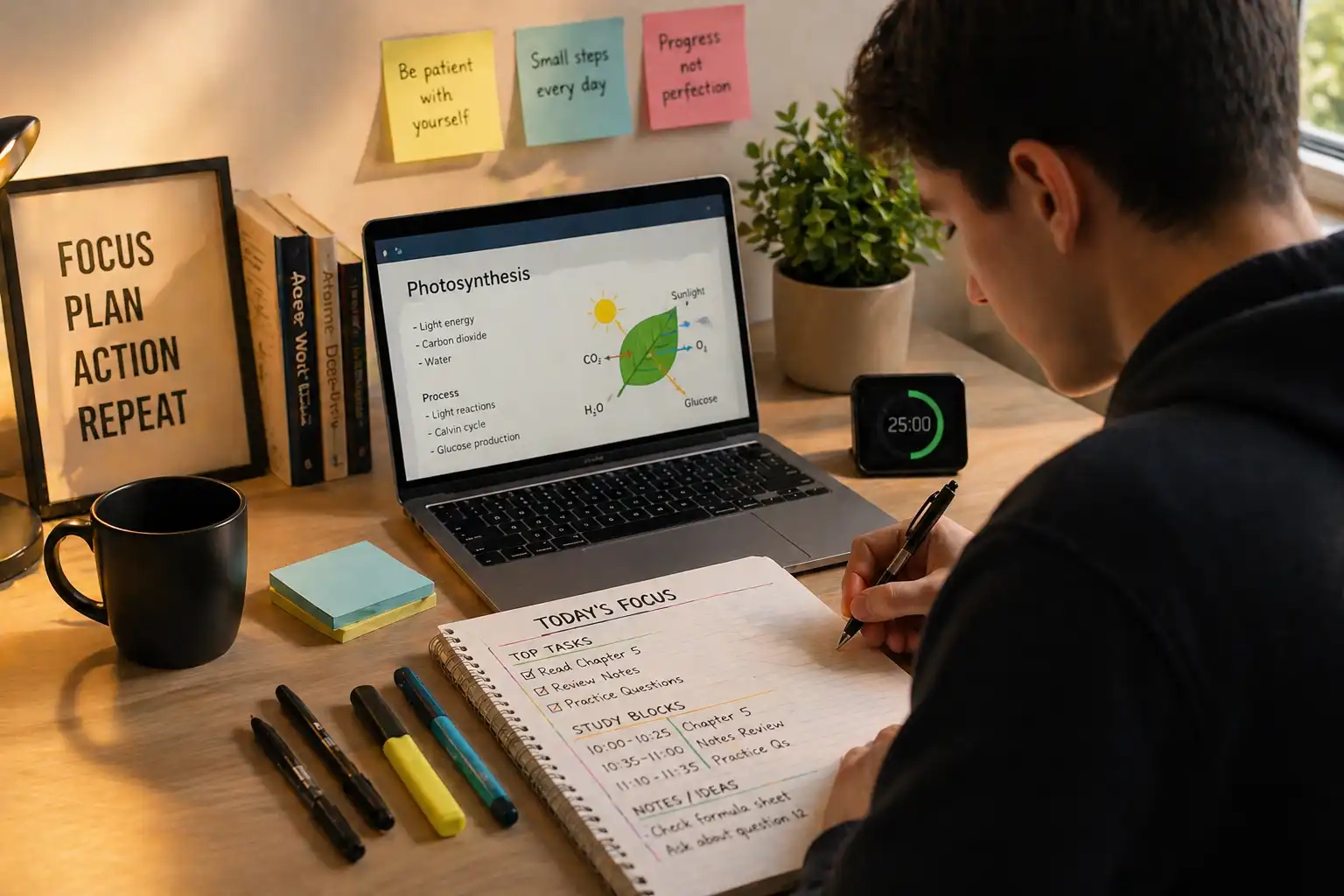
The practical implication: before a study or work session, the desk should contain only what the specific session requires. Not all study materials — just the materials for this specific task. Not the notebook from a different subject. Not the charger coiled up in the corner. Not the snack wrapper from earlier. The session begins with a cleared surface that contains one task's worth of materials, and the first five minutes of setup are not overhead — they are cognitive load management that pays off across the full session.
The Single Visible Task: How to Make the Right Move Obvious
The most common form of desk-based distraction is not phone checking. It is task-switching — moving between different pieces of work, different subjects, or different stages of the same project without completing any of them fully. And the driver of most task-switching is visibility: when multiple tasks are simultaneously visible and accessible, the attention system continuously weighs their relative priorities.
Before each study block, write one sentence on a piece of paper and place it where you will see it immediately when you sit down: the single specific task for this block. Not "study chemistry" — too broad to have a visible completion point. Not "finish the essay" — too large for one session to contain. Something specific and completable: "answer practice questions 14 through 22 in the thermodynamics problem set" or "write the second body paragraph of the comparative essay, rough draft."
The visible written task does two things. It pre-empts the starting decision — you sit down and the task is already chosen, so the first minutes are not lost to deciding what to begin. And it provides a completion criterion — you can see when the block's work is done, which creates a natural endpoint rather than the open-ended drift that produces sessions where you feel busy but cannot identify what moved.
When the single task is the only thing visible on the desk, it also functions as a visual anchor. If attention wanders and begins looking for something else to engage with, the most prominent visible object is the task — which increases the probability that attention returns to it rather than escaping into something adjacent.
Pre-Session Preparation: Eliminating Interruptions Before They Happen
A significant portion of mid-session phone and browser use is not impulsive distraction — it is material retrieval. You realize you need the formula sheet and do not have it. You need to know the assignment deadline and it is somewhere in your email. You need a calculator and your phone is the nearest one. You have to open a specific file and you do not know where it is.
Each of these retrieval needs produces a moment where the device must be engaged, which creates an opening for the distraction pattern to execute. The phone is unlocked to check the deadline, and notifications are visible. The browser is opened to find the file, and other tabs invite attention. The interruption is legitimate in origin and distracting in execution.
Pre-session preparation closes these openings before they occur. Two to three minutes before starting: confirm all materials are physically present, open the specific files needed, clear unrelated tabs, fill the water glass, set the charger. The goal is to reach a state where nothing required for the next session block needs to be retrieved after it starts. When the timer begins, the session should not require touching the phone or opening the browser for any reason other than the task itself.
This preparation is not overhead or delay. It is the single most reliable reduction in mid-session device use, because it removes the most common legitimate justifications for picking up the phone.
Breaks and the Attention Trap: What Rest Actually Requires
The attention restoration theory, developed by Rachel and Stephen Kaplan in the 1980s and subsequently refined by considerable research, proposes that the directed attention used during focused work depletes a finite cognitive resource, and that this resource is restored through specific types of rest — not through all rest indiscriminately.
Directed attention is restored by what the Kaplans called "soft fascination" — engagement that holds interest without requiring the cognitive suppression that directed focus demands. Walking in a natural environment, looking out a window at distance, quiet physical movement, or a simple non-demanding task all allow directed attention to recover. Social media, news, and video content do not — they demand rapid processing of novel social stimuli and engage the same directed attention systems that need to recover.
This is why scrolling during a study break often leaves the next session feeling harder rather than easier. The break time was filled with activity that looked like rest — you were sitting, the work was closed, nothing was demanding — but the cognitive systems that needed recovery were active throughout it.
A phone-free or screen-free break is not a rule imposed for discipline's sake. It is the break that actually restores the cognitive resource that directed attention requires. Five minutes of standing, stretching, looking out a window, or walking without a screen is more restorative for the subsequent study block than fifteen minutes of scrolling — and this is not a matter of preference. It is a measurable difference in attention recovery that shows up in performance on subsequent tasks.
What Changes After One Week of a Designed Desk
The changes from a deliberately designed desk are most noticeable at the beginning of sessions and in the quality of the first twenty minutes. When the phone is out of the room, materials are prepared, and a single visible task is in place, the session starts with almost no negotiation. There is no deciding what to begin, no reorganizing the materials, no pulling the phone toward you and then pushing it away. The work begins within thirty seconds of sitting down.
Within a few days, something subtler also changes: the association between the desk and focused work strengthens. This is Pavlovian conditioning applied to behavior — consistent pairing of a specific environment with a specific cognitive state reinforces both. The desk, cleared and prepared in the same way each session, begins to function as a cue that initiates the focus state. Sitting at it becomes the trigger, and the focus follows more automatically than it did when the same desk was used for everything in every configuration.
The deeper change is in how the sessions feel after they end. A session spent mostly on one task with minimal device use produces a clear sense of what happened — what was understood, what moved, what remains. A session fragmented across multiple tabs, interrupted by phone checks, and unfocused across multiple tasks produces the opposite: a feeling of having been busy with nothing clearly to show for it. The desk setup determines which type of session is the default.